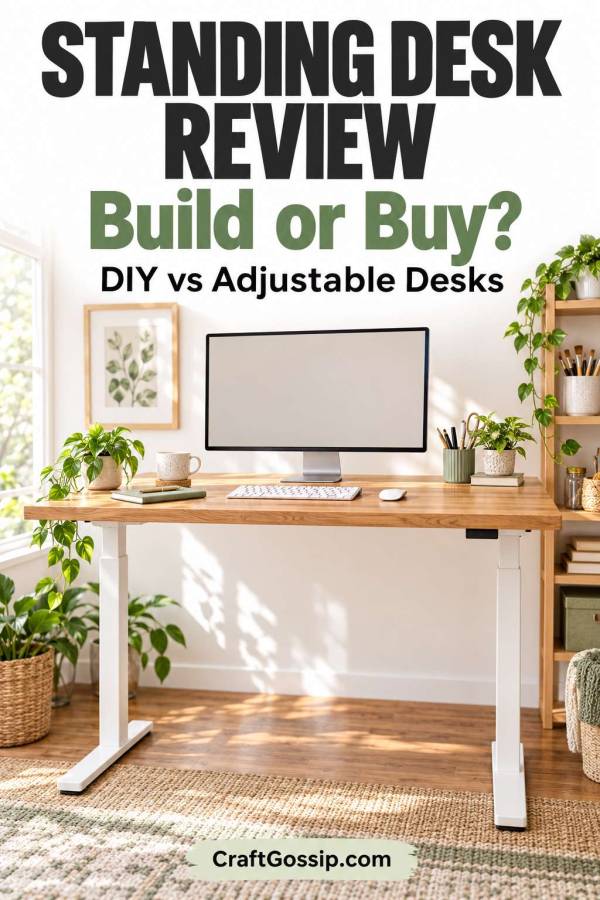
A standing desk sounds like a lovely idea until you start shopping. Suddenly, you’re comparing motor systems, desktop sizes and height settings when all you really wanted was somewhere comfortable to answer emails.
And if your home office doubles as a craft room, there’s another question: will this desk actually work for the way you use the space?
I love a clever DIY solution, but some furniture projects make more sense than others. A homemade standing desk can give you a custom workspace and make good use of furniture you already own. An adjustable desk can make switching between sitting and standing much easier.
This standing desk review compares DIY standing desks, desktop converters and ready-made adjustable desks. It’s a practical comparison of their design and usefulness, rather than a hands-on review of individual brands.
Standing Desk Review: The Quick Verdict
A DIY standing desk is worth considering if you want a custom surface, enjoy building furniture and can work with a fixed-height setup. A height-adjustable desk is the more practical choice if you want to sit and stand at the same workstation throughout the day.
A desktop converter sits between the two. It lets you keep your existing desk while raising your screen and keyboard, although it can take up valuable workspace.
Before choosing, think about what you do at your desk. Writing blog posts, sewing, drawing and cutting fabric all place different demands on a work surface. One height won’t necessarily suit every task.
DIY Standing Desks: Flexible Design, Less Flexible Height
The biggest appeal of building your own standing desk is control over the design.
You can choose a desktop that fits an awkward corner, add storage underneath or match the finish to your existing furniture. If standard office desks feel a little too corporate for your home, a timber surface can look much more inviting.
The catch is that many DIY standing desks have a fixed working height.
That can suit a dedicated standing station, but it makes changing position less convenient. A tall stool doesn’t automatically turn a standing desk into a comfortable seated workstation. You still need appropriate legroom, foot support and a usable keyboard position.
My take: A fixed-height DIY desk makes most sense as a second work area or a surface for specific tasks. For a main computer desk, I would prioritise easy height adjustment.
One compromise is to pair your own desktop with an adjustable standing desk frame. Check the supported desktop dimensions, fixing requirements and load limit before buying. Some listings show a complete desk even though only the frame is included.
If you’re exploring reclaimed materials, our DIY desks made from upcycled wood pallets offer design inspiration. Treat those projects as starting points, though. A seated desk plan needs more than longer legs to become a stable standing desk.
What to check before building
- Working height: Measure around your own comfortable keyboard position.
- Stability: A taller structure needs suitable support and bracing.
- Desktop depth: Allow room for your screen, keyboard and mouse.
- Legroom: Check standing access and any planned seated use.
- Surface finish: Choose something smooth, durable and easy to clean.
- Total cost: Include fixings, finishes, tools and delivery.
A bargain desktop loses some of its charm if you need a trolley full of extra supplies to finish it.
Electric Standing Desks: Convenient for Switching Positions
An electric sit-stand desk raises and lowers the desktop using a powered frame. Depending on the model, it may also offer saved height settings.
The main attraction is convenience. Your equipment moves with the desk, so changing position doesn’t require rearranging the whole workspace.
If you’re browsing electric height-adjustable standing desks on Amazon, look beyond the styled photographs. Check the minimum and maximum height, desktop dimensions, load limit and warranty.
Look for reviews that discuss stability at standing height, rather than only showing the desk at its lowest setting. A desk that feels steady while seated may behave differently when fully extended.
My take: An electric standing desk is worth considering for regular computer work when straightforward adjustment matters more than getting the lowest upfront price.
Features I would compare
- A height range that suits your seated and standing positions.
- Enough surface space for the equipment you actually use.
- Clearly stated weight limits.
- Accessible controls.
- Cable management that accommodates movement.
- Warranty terms covering the frame and electrical components.
- Return conditions, including bulky return shipping costs.
Also check whether the desktop arrives in one piece or several sections. If you plan to draw, write or place a cutting mat across it, the surface layout deserves a closer look.
Manual Adjustable Desks: A Simpler Alternative
A manual adjustable desk uses a mechanism such as a crank to change height.
This can be appealing if you want an adjustable surface without a powered frame. The trade-off is the effort involved in moving it.
When comparing manual crank standing desks, consider how often you’ll change position and whether the handle is easy to reach. Check how the mechanism works with your intended equipment load, too.
My take: A manual desk is worth a look if you want height adjustment and don’t mind making the change yourself. If adjustment feels awkward, you may use it less often than you intended.
Standing Desk Converters: Keep the Desk You Already Have
A standing desk converter sits on top of an existing desk and raises part of your workstation.
It’s a useful option when you already like your furniture or have a built-in desk you want to keep. You avoid replacing the whole setup, which can be especially appealing in a small home office.
The compromise is space. A converter occupies part of the desktop, and its base remains there when lowered.
When browsing standing desk converters with keyboard trays, check both platforms. The upper surface needs room for your screen, while the lower tray should accommodate your keyboard and mouse without awkward reaching.
Also check the lowest position. Adding a converter can change your seated working height.
My take: A converter is a sensible option to investigate when replacing your desk would be inconvenient. Measure the entire setup before buying.
If you’re planning a fitted workspace, our guide to custom built-in desks can help you think through layout and storage. Decide early whether you want a fixed surface, a converter or room for an adjustable desk.
Upcycled Standing Desks: Clever, With a Few Caveats
A dresser, bookcase or repurposed table can inspire a standing workstation. These ideas are particularly appealing when you already own a suitable piece.
However, furniture designed for storage isn’t automatically suitable for computer work.
A dresser may leave you standing too far from the keyboard. A shelf may lack sufficient depth. Tall furniture may need securing according to its manufacturer’s instructions.
Before committing, check the working height, access, stability and supported load. Avoid improvised stacks of loose boxes or books as a permanent equipment platform.
My take: Upcycled furniture can work well for a specific standing task. It needs careful assessment before becoming your everyday workstation.
What Makes a Standing Desk Comfortable?
Height adjustment is only part of the picture. Your screen, keyboard and mouse need to work together.
For computer work, aim for relaxed shoulders, elbows close to your body and straight wrists. Position the monitor so you can view it without repeatedly tilting your head up or down. OSHA’s computer workstation guidance provides a useful starting point for checking your setup.
A laptop creates a familiar problem: its screen and keyboard are attached. Raising it for a better viewing position also raises the keyboard.
An adjustable laptop stand, used with a separate keyboard and mouse, lets you position those components independently. Check the stand’s compatibility with your laptop size and weight.
For a separate screen, an adjustable monitor arm may help you position it while freeing some desktop space. Check your monitor’s mounting compatibility, its weight and whether your desktop can support the clamp.
These details are worth planning before building a beautifully finished desk around the wrong measurements.
Standing Desk Mistakes to Avoid
Choosing by appearance alone
A desk can look wonderful in a styled photograph and still be too shallow for your equipment. Measure what you need to accommodate before choosing the surface.
Forgetting cable movement
An adjustable desktop needs cables that can travel through its full height range without pulling on plugs.
An under-desk cable management tray can help organise leads and a suitable power strip. Leave enough slack for movement, and check clearances and mounting instructions before fitting it.
Assuming DIY always costs less
Reusing materials can reduce costs, but hardware, finishing products and tools add up. Price the complete project before deciding.
Ignoring storage
A large desktop quickly becomes a dumping ground if everything lives on top of it. Our DIY metal wall grid offers inspiration for keeping notes and small items visible without filling the work surface.
Expecting to stand all day
The practical appeal of a sit-stand desk is having a choice of positions. Keep a comfortable seated option and make room for movement away from the desk, too.
Can You Use a Standing Desk for Crafting?
Yes, provided the desk suits the task and equipment.
An adjustable surface may be useful for alternating between computer work and light crafting. Sewing requires particular attention to machine stability, seated working height and foot-pedal access.
Fabric cutting is another matter. You may need a larger surface than a typical office desk provides, along with support for your cutting mat and fabric.
Check the desk’s load limit and desktop dimensions before adding a sewing machine or other heavy equipment. Consider whether the frame or crossbar interferes with your knees, storage or pedal.
A dual-purpose desk can be useful, but it helps to design around your most frequent activity. Otherwise, every project begins with moving half the room.
Is a Standing Desk Worth It?
A standing desk is worth considering when it solves a clear workspace problem.
If you want a dedicated standing surface and enjoy furniture projects, DIY may be a good fit. If you want to change height regularly while working at a computer, an adjustable desk deserves a closer look. If you already have a desk you love, a converter may offer a practical compromise.
My advice is to start with measurements and daily habits before choosing finishes and accessories. Consider where your screen will sit, how you’ll reach the keyboard and what happens when you want to sit down.
The best desk for your home office is the one that makes everyday work easier. A lovely timber top is a bonus. Having somewhere to put your coffee without balancing it on a pile of paperwork is another.
So, whether you’re looking to improve your health, customize your workspace, or save some money, a DIY standing desk might be just what you need. With these 15 designs, you’re sure to find a standing desk that meets your needs and fits your style.
My DIY Standing Desk Modification! – Field Treasure Designs
How to Make an IKEA Hack Standing Desk | Josh Medeski
Easy DIY Treadmill Desk – Oh, The Things We’ll Make!
Building a Standing Desk – A Beautiful Mess
How to Make a DIY Adjustable Drafting Table from Any Desktop – Curbly
Turning a bookcase into a standing desk — super-perfect for the DIY-challenged
How to Build an Inexpensive Standing Pallet Desk – Dwelling In Happiness
DIY Standing Desk With IKEA Hemnes Dresser
DIY Adjustable Standing Desk for under $25
How to Build a Standing Desk for $50 — Joshua Berman Design
My DIY Standing Desk Modification! – Field Treasure Designs
How to Build Your Own DIY Standing Desk Kiosk With Hidden Storage
Standing desks have been gaining popularity in recent years and for good reason. As someone who works from home, I can attest to the benefits of using a standing desk. For years, I worked at a traditional desk and often found myself feeling sluggish and unproductive. I would get up and stretch my legs, but I still felt lethargic.
Then, I decided to try a standing desk. At first, it was a bit of an adjustment. My feet and legs would get tired after a few hours, but as I got used to standing more throughout the day, I noticed a significant increase in my energy levels and productivity.
Studies have shown that using a standing desk can improve your posture, increase your energy levels, and even boost your mood. When you sit for long periods, your body can start to feel stagnant, leading to aches and pains. Standing desks can help reduce these issues by keeping your body moving and your blood flowing.
One of the most significant benefits of using a standing desk is the potential to burn more calories throughout the day. When you’re standing, your body is working harder to maintain balance, leading to increased calorie burn. Over time, this can lead to weight loss and improved overall health.
Standing desks have been linked to a reduced risk of chronic diseases such as obesity, type 2 diabetes, and heart disease. Sitting for prolonged periods has been shown to increase the risk of these conditions, so incorporating a standing desk into your routine can have long-term health benefits.
Incorporating a standing desk into your work or home office routine can have numerous benefits for your physical and mental health. While it may take some time to adjust, the benefits are well worth it. I never would have guessed that such a simple change could have such a significant impact on my daily life.